

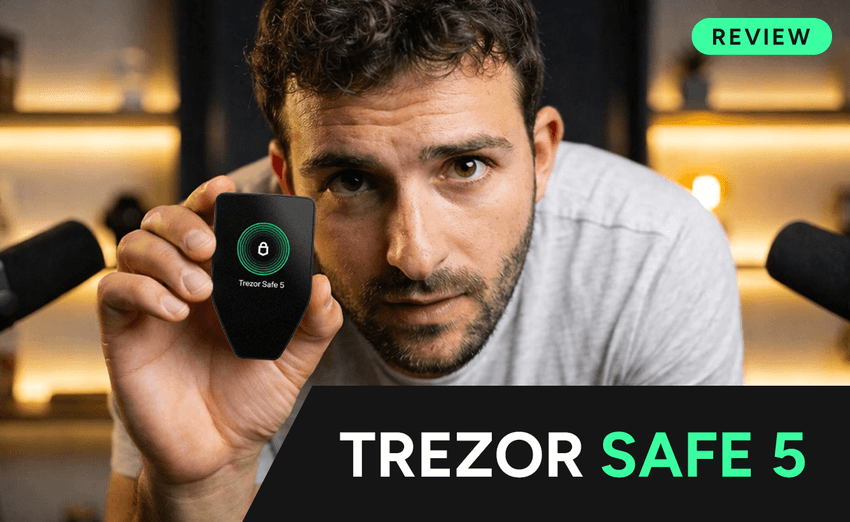

For anyone serious about self-custody, a hardware wallet is still one of the most important upgrades you can make. Exchange failures, phishing attacks, and malware remain some of the biggest risks in crypto, which is why more users are moving private keys off centralized platforms and into dedicated offline devices. That is exactly where the Trezor Safe 5 fits in.
The Trezor Safe 5 is positioned as a premium hardware wallet built for people who want stronger security without giving up usability. Trezor’s official product page highlights a 1.54-inch color touchscreen, haptic feedback, PIN and passphrase protection, an EAL6+ Secure Element, Gorilla Glass 3, and support for thousands of coins and tokens through the Trezor Suite ecosystem.
What makes this model stand out is that it is not just trying to be safer than a hot wallet. It is also trying to remove the friction that keeps many beginners from using hardware wallets in the first place. The touchscreen, on-device confirmation flow, and guided onboarding are clearly designed to make self-custody easier for first-time users while still offering the controls experienced holders expect.
Buy Trezor Safe 5 here:
https://affil.trezor.io/SH11r
Browse the official Trezor store:
What comes in the box
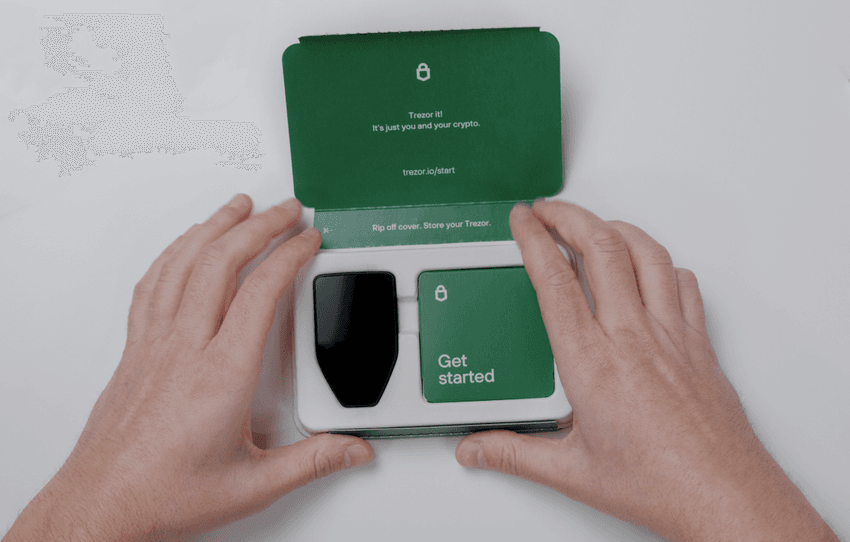
According to Trezor’s official specs, the box includes the Trezor Safe 5 hardware wallet, a USB-C to USB-C cable, two 20-word wallet backup cards, a start-up guide, and stickers. The packaging and device security seals are also part of Trezor’s anti-tamper setup, so checking the box carefully before first use is an important part of the onboarding process.
That step matters more than many people realize. The current Airdrops.com article already gets this right: before connecting the wallet, users should inspect the packaging and security seal and avoid using the device if anything looks suspicious.
Key Trezor Safe 5 features
The biggest selling point of the Trezor Safe 5 is the mix of security-first design and daily usability. On the hardware side, Trezor says the device uses an NDA-free EAL6+ Secure Element, open-source design principles, and on-device confirmation for sensitive actions. On the usability side, it adds a brighter color display, tactile confirmation through haptic feedback, and tighter integration with Trezor Suite for sending, receiving, trading, and staking supported assets.
Backup and recovery are also a major part of the pitch. Trezor says the Safe 5 supports 12-, 20-, and 24-word wallet backups and includes an enhanced 20-word wallet backup standard plus Advanced Multi-share Backup, which is designed to improve recovery protection.
For users comparing models, Trezor’s own FAQ says the biggest difference between the Safe 5 and the Safe 3 is usability: the Safe 5 emphasizes the color touchscreen and haptic feedback, while the Safe 3 uses a two-button interface. Both include a Secure Element.
How to set up the Trezor Safe 5
The setup flow is straightforward, but there are a few points where users need to be careful.
1. Go directly to the official Trezor setup page
The current Airdrops.com version correctly points users to trezor.io/start and warns against relying on search results alone. That is a smart recommendation because Trezor’s official security guidance says scammers frequently use fake websites, emails, social accounts, and even AI-generated impersonation to trick users into handing over sensitive information.
2. Install Trezor Suite
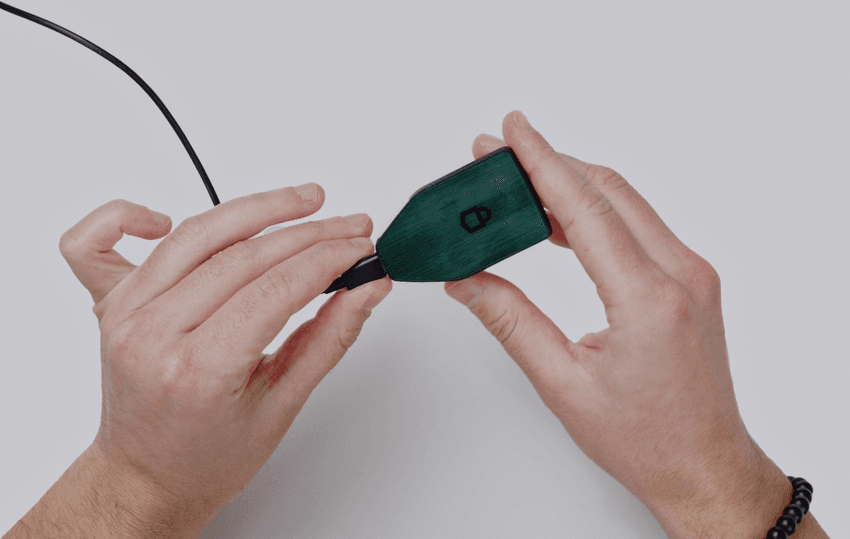
Trezor’s official getting-started guide says setup begins in Trezor Suite, where users connect the device, install firmware, create or recover a wallet, and configure security settings.
3. Install firmware and verify the device
The Airdrops.com article notes that the Safe 5 ships without firmware installed, and setup includes installing the official firmware and then running a security check to confirm the device is genuine.
4. Create a wallet and write down your backup
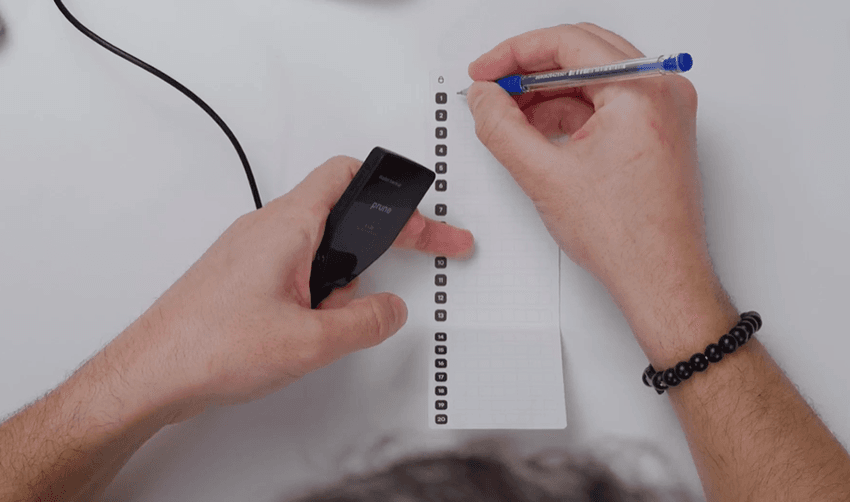
The current article says the device generates a 20-word recovery phrase using the SLIP39 standard, which becomes the master backup for the wallet. Trezor’s own documentation strongly reinforces the same security principle: the wallet backup must be stored offline and should never be typed into websites, apps, or messages. Trezor explicitly says it will never ask for your wallet backup.
5. Set a PIN and optional passphrase
Trezor lists PIN and passphrase protection as core security features of the Safe 5. It also notes that passphrase-protected hidden wallets are not stored on the device itself, adding another layer for users who want stronger compartmentalization.
Is the Trezor Safe 5 good for beginners?
Yes, and that is probably where this article can be improved most.
The existing Airdrops.com draft reads mostly like a short setup note. For SEO and readability, it should answer the user’s real question sooner: Who is this wallet for?
The answer is that the Trezor Safe 5 looks especially appealing for users who want a more premium, beginner-friendly experience than older button-based hardware wallets, without giving up advanced security options. The touchscreen and guided setup should make it less intimidating for newcomers, while passphrase protection, backup flexibility, and Trezor Suite integration still give experienced users the tools they want.
Security warning every reader should see
Any article about a hardware wallet should include one blunt reminder:
Never enter your recovery phrase into a website, email form, chat, or QR-code page. Trezor’s official scam guidance says attackers often impersonate support staff or official services and try to steal backups, PINs, or passphrases. Recent reporting has even described phishing campaigns that use physical mail and QR codes to target hardware wallet owners.
That is why the strongest version of this article should not just explain setup. It should also explain the one rule that matters most: your backup stays offline, and nobody legitimate will ask you for it.
Final Verdict
The Trezor Safe 5 looks like a strong option for crypto users who want a hardware wallet that balances security with ease of use. Trezor positions it as an advanced wallet with a color touchscreen, haptic confirmation, EAL6+ Secure Element, flexible backup options, and broad support through Trezor Suite. For users moving from exchange custody or from a software wallet to their first dedicated hardware device, that combination is likely the biggest selling point.


